
My Modern Web Interface for FM-Funknetz & EchoLink
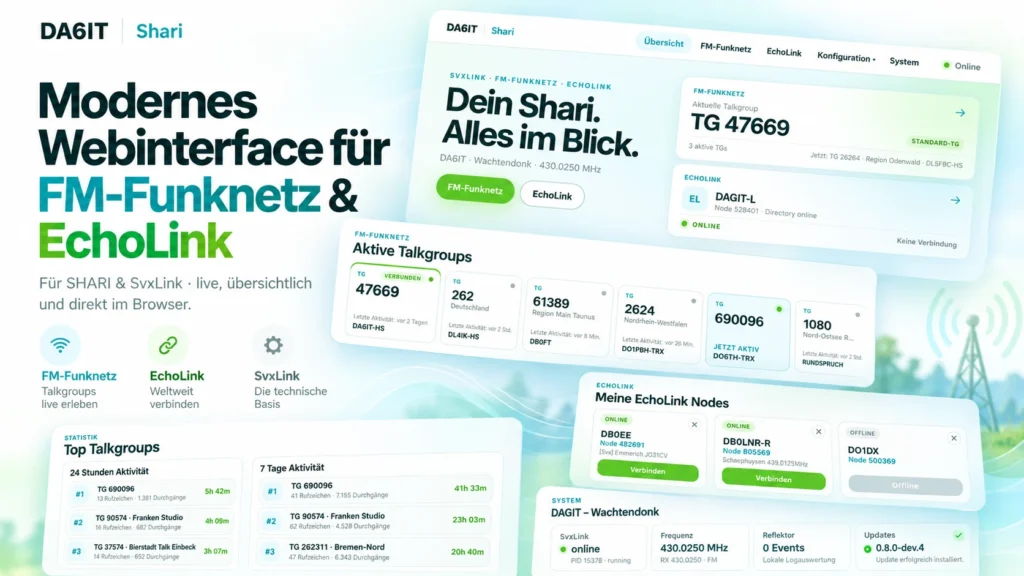
I am introducing my own web interface for FM-Funknetz and EchoLink. It brings talkgroups, live activity, EchoLink nodes, favourites and the status of my SHARI into one modern interface – directly in the browser on desktop, tablet and phone.
I wanted a modern interface for FM-Funknetz and EchoLink on my SHARI: clean, good-looking, browser-based and focused on the features I actually use on the air. I found plenty of SvxLink documentation, configuration files and functional status pages, but nothing that made me think: this is how I want to operate FM-Funknetz and EchoLink today.
So I started building my own FM-Funknetz web interface and EchoLink web interface. It began as something just for my own SHARI. By now it has grown into a complete WebUI that I use myself and that anyone interested can install from GitHub.
Why I built it
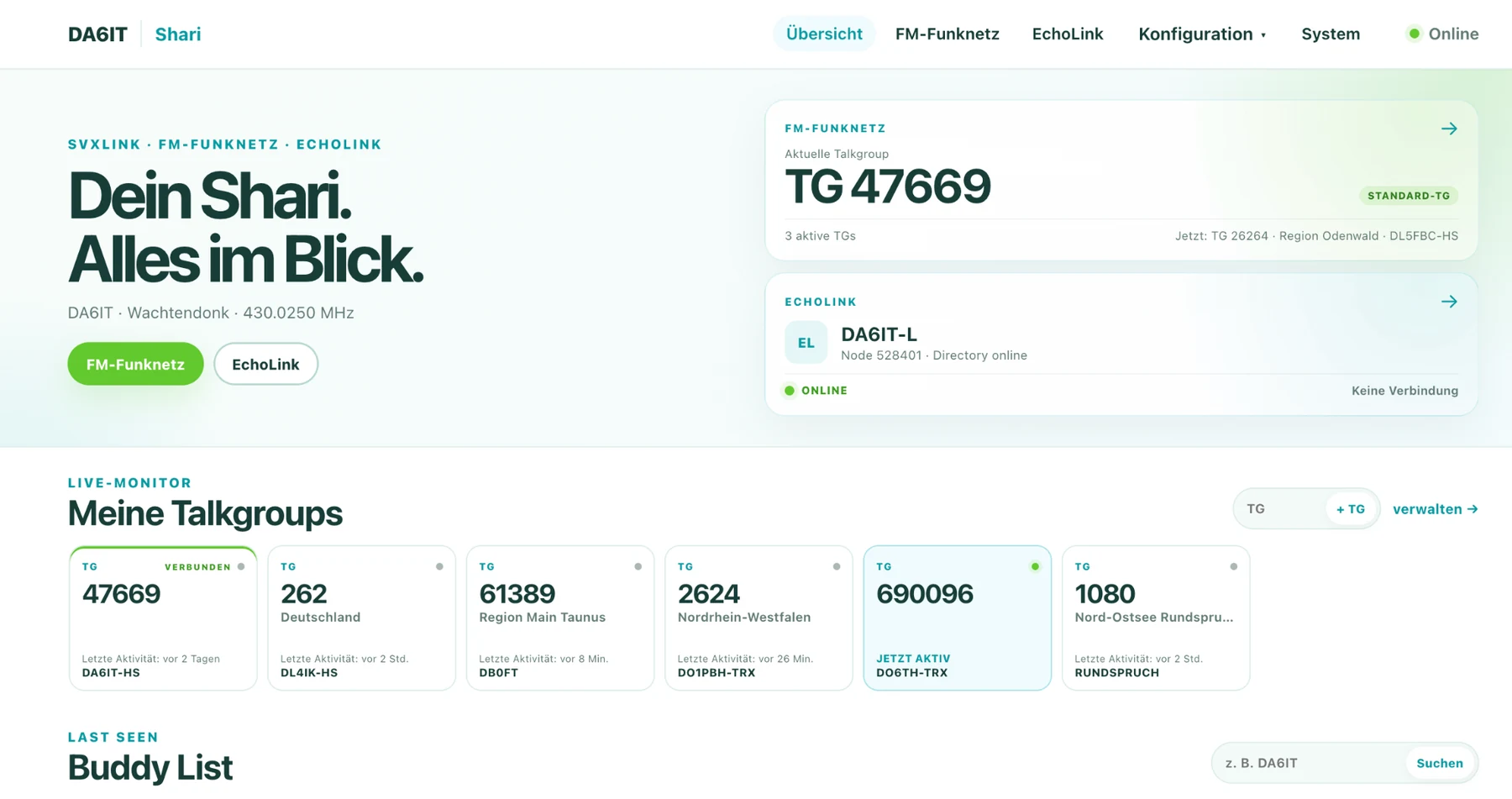
My starting point was simple: SHARI is a great little radio interface and SvxLink is extremely flexible, but I did not want day-to-day operation to mean checking configuration files, logs or purely functional admin pages. I wanted to see what was happening at a glance and click the things I use most often.
For me it should feel like a small modern radio application: see the current talkgroup, follow activity on FM-Funknetz, search and connect EchoLink nodes, keep favourites, check system health and use all of it just as comfortably from a phone.
FM-Funknetz talkgroups at a glance
The most important part for me is FM-Funknetz. The WebUI shows my selected talkgroup, active talkgroups and current activity. Frequently used talkgroups can be saved as favourites, and I can select a talkgroup directly from the browser.
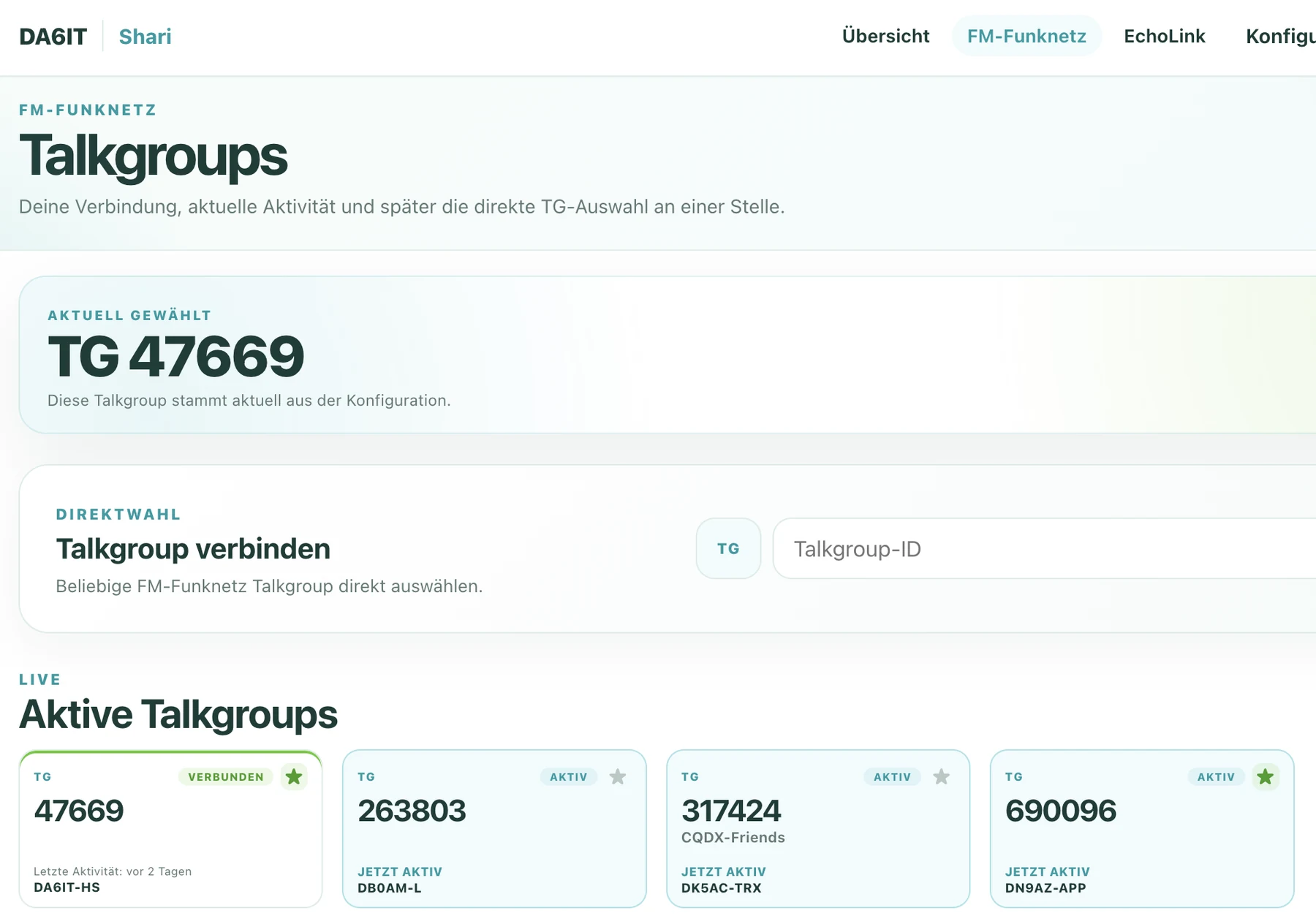
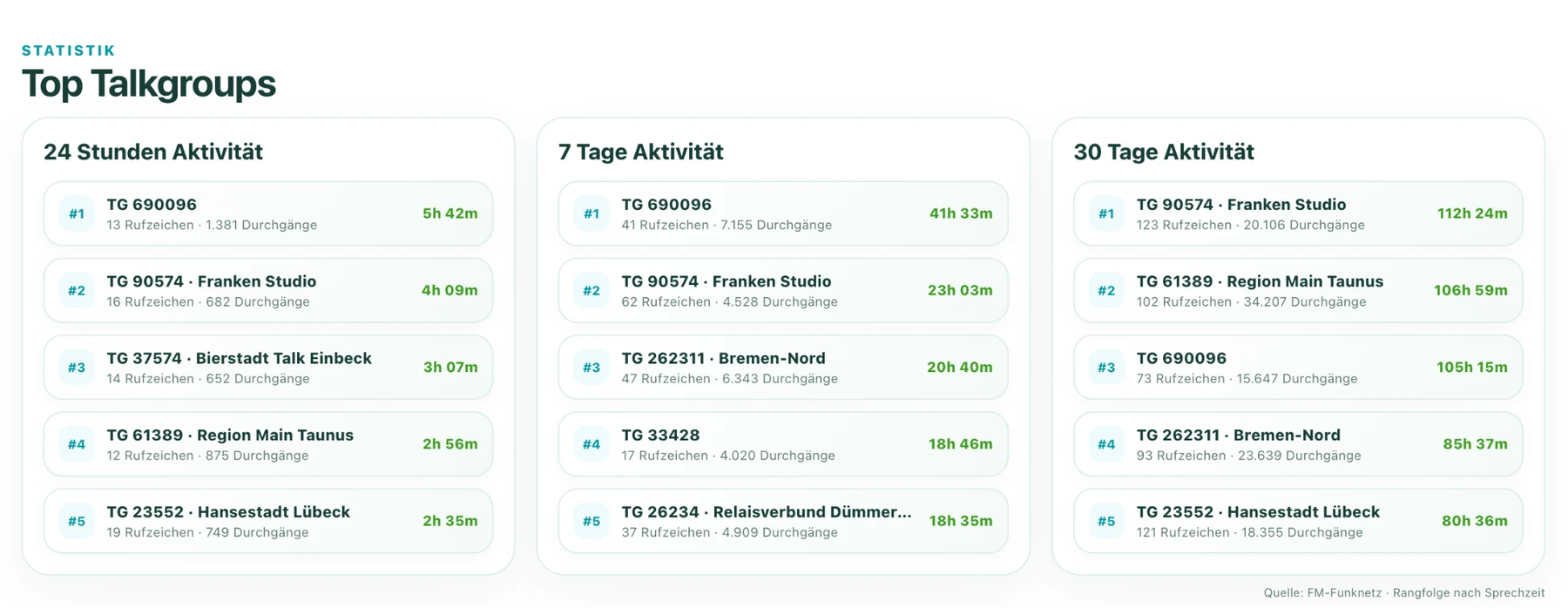
I also added the things I personally find fun to watch: who is active right now, which talkgroups are being used most and what happened recently. That turns the interface into a small live monitor for FM-Funknetz as well as a control surface.
EchoLink belongs right next to it
I wanted EchoLink to feel just as integrated. The WebUI shows the status of my own node, lets me search by callsign or node ID, connect from the browser and keep frequently used nodes as favourites.
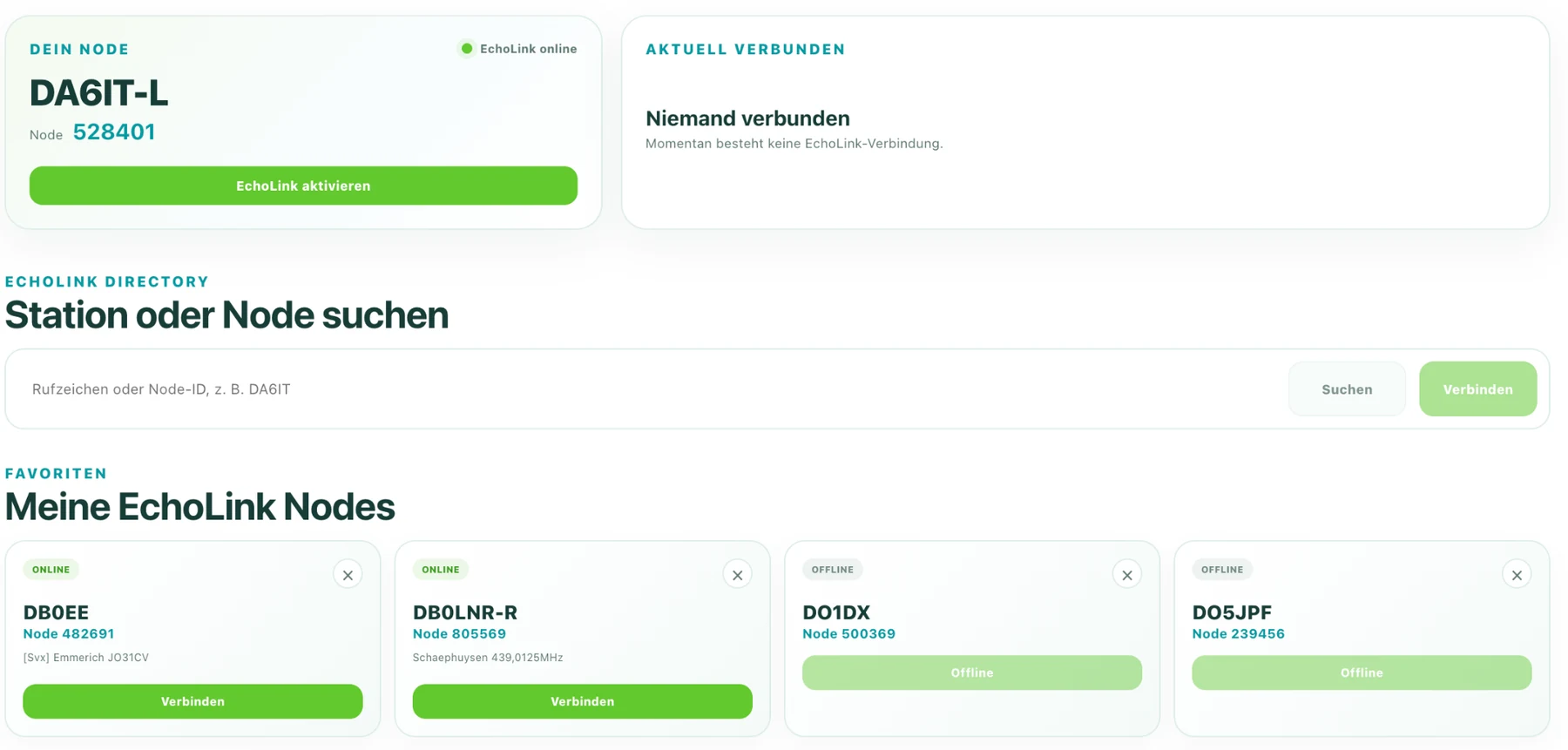
This combination is probably what I enjoy most about the project now. I do not need to think of FM-Funknetz and EchoLink as two separate administration jobs. Both are part of my radio setup, so both belong in the same interface.
Designed to work on a phone too
The visual side mattered to me from the beginning. I did not want a desktop page that simply shrinks until everything is tiny on a phone. The WebUI rearranges itself for smaller screens and keeps sensible touch targets, so I can check my SHARI from the sofa, the garden or right next to the radio.
Status, configuration and browser updates
FM-Funknetz and EchoLink remain the main focus, but I also wanted normal operation to stay out of the shell as much as possible. The WebUI therefore includes system status, diagnostics and configuration areas. Updates can be checked and installed directly from the browser as well.
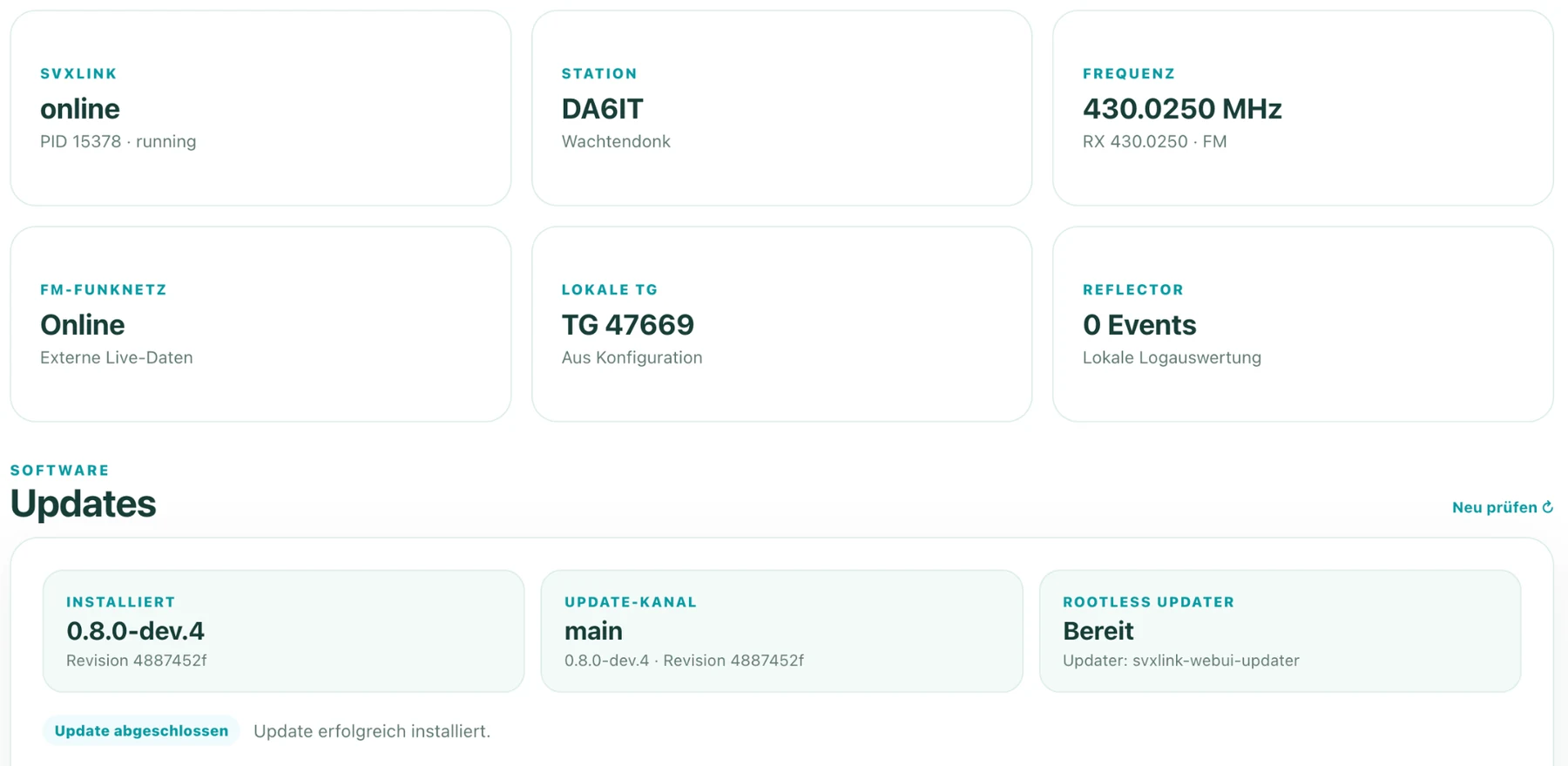
There is quite a bit more technology behind the updater than the screenshot suggests: updates are staged and tested, privileges are separated and a failed activation can roll back. My goal was to solve that complexity once so users normally do not have to think about it.
Installation now starts with one line
The WebUI started as a classic personal tinkering project. I have since spent time making the installation much easier too. On a fresh Debian/Ubuntu system with curl, installation can be started directly from the public GitHub repository:
curl -fsSL https://raw.githubusercontent.com/DA6IT/svxlink_echolink_fm-funknetz-WebUI/main/bootstrap.sh | bashI keep the full installation instructions, requirements, configuration and technical details in the GitHub project. I do not want this article to become a second manual; it is here to show why I built the project and what it can do today.
Open source and made to be tried
The WebUI is public on GitHub. If you run a SHARI or another suitable SvxLink setup and have also been looking for a modern FM-Funknetz web interface or EchoLink web interface, feel free to take a look and try it.
The project keeps growing because using it keeps giving me new ideas. That is exactly how I like amateur-radio projects: build something, use it, improve it and hopefully make it useful for a few other hams as well. If you give it a try, have fun with it. 73!