
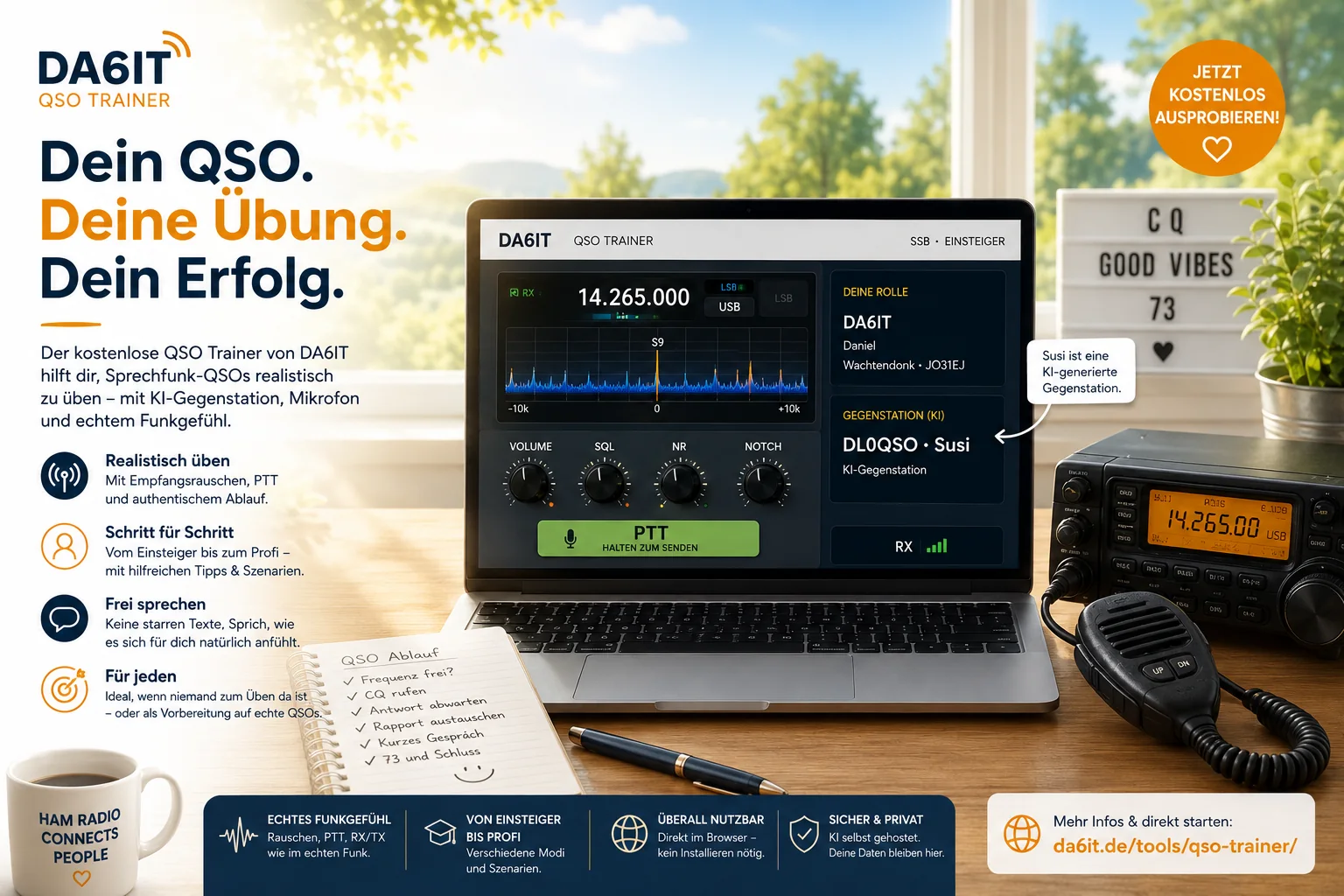
Making the first CQ call can take a surprising amount of courage. You may know the theory, have just received your licence or still be preparing for the exam, yet speaking into a microphone feels completely different. What comes first? When do you give the report? When should you repeat the callsigns? And what happens if your mind suddenly goes blank?
That is why I built the DA6IT QSO Trainer. It lets beginners practise a typical voice contact directly in the browser when no training partner is available. It is especially useful for people who cannot easily attend live training at a local amateur-radio club, whose schedule does not match club evenings, or who simply want a few private practice runs before making a real call on the air.
No script to memorise
The trainer is deliberately not a language exercise with five sentences that must be repeated word for word. Amateur radio is communication between people. Operators speak differently, phrase things differently and contacts can be short, detailed, relaxed or efficient. You should therefore speak naturally, pause when you need to and recover from a slip of the tongue just as you would in a real conversation.
The main rule: relax. We are humans, not robots. A real QSO does not have to sound identical every time.
How the first scenario works
The current beginner scenario presets the virtual radio to 80 metre SSB in LSB. You check whether the frequency is clear, call CQ, exchange reports, have a short natural conversation and close the contact with 73. The AI radio partner is called Susi and uses the training callsign DL0QSO. She is an AI-generated station, not a real operator at the other end, and the conversation AI runs on my own server infrastructure.
A little radio atmosphere matters
The project has already grown beyond a chat box. The browser now shows a virtual transceiver with frequency, mode, RX/TX state and PTT. Starting a QSO no longer plays Susi as a clean computer voice: the browser adds the narrow SSB sound, receiver noise and, depending on the simulated signal, some fading. Holding PTT mutes the receiver; releasing it returns you to receive. It is intentionally still an approachable beginner simulation rather than a full DSP laboratory.
Useful when live practice is difficult
A browser trainer cannot replace real amateur-radio operating or a good training evening with experienced operators. But not everyone has a suitable club nearby, can attend at the right time or feels ready to practise in front of other people. The trainer is meant to be an additional low-pressure option: open the browser, allow the microphone and try again as often as you like. A text-input mode is available for testing without a microphone.
Beginner is only the first level
The interface already shows the direction of travel: an advanced level with fewer hints, a pro level with small traps and tougher conditions, a contest scenario and a mode where another station calls CQ and you have to answer correctly. Controls for LSB, USB, FM, NOTCH, DNR, noise blanker and RF gain are also already visible. Today the important settings are locked correctly for beginners. Later they can become part of the exercise.
A wrong sideband might simply result in no answer. More varied receive conditions, real QRM and QRN, different audio quality and a dedicated FM operating flow can make later scenarios more realistic without overwhelming newcomers on day one.
The trainer learns too
Natural conversation is difficult for an AI system. A reply can be technically correct and still feel completely wrong in context. Before every QSO you can therefore decide whether its text log may be stored on my server infrastructure and evaluated for troubleshooting and improvement. Choosing no does not limit the training; it simply prevents a permanent training log from being written. Microphone audio is not permanently stored and is not sent to Microsoft. For Susi’s synthetic voice, her generated reply text is sent server-to-server to Microsoft Azure Speech for real-time speech synthesis; this happens independently of the optional training-log consent.
More information about this processing is available in the privacy policy.
Try it – mistakes are welcome
The QSO Trainer is free and runs directly in the browser. No extra application is required. If the first CQ call is messy, start again. If you forget a callsign, learn from the hint. If you need a moment to think, take it. If those practice runs make the real microphone feel a little less intimidating later, the trainer has done exactly what I want it to do.